
Everything Artists Need to Know About Spotify Campaign Kit
Promoting your music on Spotify is not just about getting more streams. It is about reaching the right listeners at the right moment, then giving them a clear reason to save, follow, playlist, and come back.
That is where Spotify’s Campaign Kit comes in. Campaign Kit brings together Spotify for Artists promotional tools like playlist pitching, Discovery Mode, Marquee, and Showcase so artists, labels, and managers can build smarter release campaigns directly inside Spotify.
Here is what Campaign Kit includes, how each tool works, and how to decide which one fits your next release, catalog push, or fan growth goal.
Key Takeaways
- Spotify Campaign Kit is a suite of promotion tools inside Spotify for Artists, including playlist pitching, Discovery Mode, Marquee, and Showcase.
- Marquee and Showcase are now part of Spotify’s display campaigns, which promote music to listeners on Spotify Home.
- Playlist pitching is free and should be submitted at least 7 days before release day.
- Discovery Mode has no upfront budget, but Spotify applies a commission to recording royalties from selected streams in Discovery Mode contexts.
- The best results come from matching each tool to a clear goal, like audience growth, reactivation, engagement, or catalog discovery.
What Is Spotify Campaign Kit?
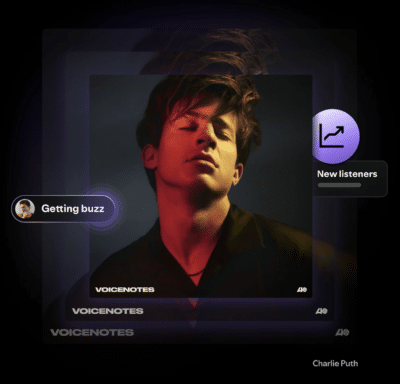
Spotify Campaign Kit is a group of promotional tools built into Spotify for Artists. Instead of running every campaign from separate platforms, artists and music marketers can use Campaign Kit to reach listeners who are already streaming on Spotify.
The main tools inside Campaign Kit are:
- Playlist pitching for submitting unreleased music to Spotify’s editorial team.
- Discovery Mode for prioritizing eligible songs in personalized recommendation spaces like Radio, Autoplay, and Spotify Mixes.
- Marquee for promoting new releases with a full-screen sponsored recommendation on Spotify mobile.
- Showcase for promoting new or catalog releases with a sponsored banner on Spotify Home.
Spotify groups Marquee and Showcase under display campaigns, which are designed to help artists reach listeners while they are deciding what to play next.
What Is Included in Spotify Campaign Kit?
Each Campaign Kit tool serves a different purpose. Some are better for new releases, while others work better for catalog songs, tour moments, viral activity, or re-engaging listeners who have not streamed your music recently.
| Tool | Best For | How It Works | Cost |
|---|---|---|---|
| Playlist Pitching | Unreleased songs | Submit one upcoming track to Spotify’s playlist editors through Spotify for Artists. | Free |
| Discovery Mode | Algorithmic discovery and catalog growth | Select eligible songs you want Spotify to prioritize in personalized recommendation areas. | No upfront budget. Commission applies to eligible streams. |
| Marquee | New releases | Shows a full-screen sponsored recommendation to likely listeners on Spotify mobile. | Paid campaign |
| Showcase | New releases, catalog tracks, anniversaries, tour moments, or viral songs | Places a sponsored banner on Spotify Home to direct listeners to a release. | Paid campaign |
How Playlist Pitching Works
Spotify playlist pitching lets you submit an upcoming, unreleased song to Spotify’s editorial team through Spotify for Artists. This is one of the most important free tools available to artists before release day.
To use playlist pitching, log in to Spotify for Artists, go to Music, then Upcoming, choose a song, and fill out the pitch information. The more useful context you give editors, the easier it is for them to understand where your track might fit.
Spotify recommends delivering and pitching your music at least 7 days before release day. Pitching early also helps get your selected song into your followers’ Release Radar playlists.
Playlist pitching tips for artists
- Submit only unreleased music. Once a song is live, it can no longer be pitched through Spotify for Artists.
- Give clear genre, mood, culture, instrumentation, and marketing details.
- Mention real traction, like social content, tour dates, press, collaborations, or fan activity.
- Do not rely on playlist pitching alone. Support the release with social content, email, short-form video, and direct fan engagement.
For a deeper breakdown, check out What Every Artist Should Know About Playlist Pitching.
How Discovery Mode Works
Discovery Mode lets eligible artists and labels select songs they want Spotify to prioritize in personalized recommendation contexts. These can include areas like Spotify Radio, Autoplay, and Mixes.
Discovery Mode does not guarantee extra streams. Instead, it gives Spotify’s recommendation system an added signal that a selected song is a priority. Listener behavior still matters. If listeners skip the track or do not engage with it, Spotify can factor that into future recommendations.
Discovery Mode does not require an upfront ad budget. Instead, Spotify applies a commission to recording royalties generated from selected songs in Discovery Mode contexts. Streams from other Spotify contexts remain commission-free.
When Discovery Mode makes sense
- You have a catalog song showing strong save, playlist add, or repeat listening behavior.
- You want to build momentum before a new release by reintroducing listeners to older tracks.
- A song is getting attention on social media, in a specific market, or from a new listener segment.
- You want to test algorithmic discovery without committing upfront ad spend.
When to be careful with Discovery Mode
Discovery Mode is not a fix for a song that is not connecting with listeners. Before selecting a track, look at signals like saves, repeat listening, playlist adds, skip behavior, and audience growth. A strong song with real engagement is a better candidate than a track you simply want to push harder.
Eligibility can vary, so always check your own Spotify for Artists dashboard before building a campaign plan around Discovery Mode.
How Marquee Works
Marquee is a paid display campaign format for new releases. It appears as a full-screen sponsored recommendation on the Spotify mobile app and sends listeners directly to your promoted release.
Marquee is designed for release moments. According to Spotify’s current support guidance, Marquee is for new releases and must start within 21 days of the release date in the promoted target market.
Use Marquee when you want to:
- Drive attention to a new single, EP, or album.
- Reach listeners who are likely to stream after seeing the recommendation.
- Build release-week momentum with a native Spotify placement.
- Re-engage fans who already know your music but may not have heard the new release yet.
To use the Marquee format, Spotify currently requires artists to meet additional eligibility requirements, including having enough monthly active listeners in the target market. Check Spotify for Artists before planning your budget, since eligibility and market availability can change.
How Showcase Works
Showcase is a paid display campaign format that promotes music with a sponsored banner on Spotify Home. Unlike Marquee, Showcase can be used for both new releases and catalog releases.
That flexibility makes Showcase useful beyond release week. Artists can use it to support a tour announcement, highlight a song that is gaining traction, celebrate a release anniversary, or bring listeners back to a catalog track that fits a current moment.
Use Showcase when you want to:
- Promote a new release after the initial release push.
- Give a catalog song another moment.
- Support a tour, sync placement, social trend, or press moment.
- Reach lapsed listeners or potential new fans on Spotify Home.
Marquee vs. Showcase: What Is the Difference?
Marquee and Showcase are both Spotify display campaigns, but they are not interchangeable. The right choice depends on what you are promoting and when.
| Feature | Marquee | Showcase |
|---|---|---|
| Placement | Full-screen recommendation on Spotify mobile | Sponsored banner on Spotify Home |
| Best for | New releases | New releases and catalog releases |
| Timing | Within 21 days of release | Anytime, depending on eligibility and campaign setup |
| Strongest use case | Release-day and release-week momentum | Sustained promotion, catalog discovery, and fan reactivation |
Who Can Use Spotify Campaign Kit?
Not every Campaign Kit tool is available to every artist at all times.
Playlist pitching is available to artist teams with Admin or Editor access in Spotify for Artists. It is free and open to artists who have unreleased music delivered to Spotify.
Display campaigns, including Marquee and Showcase, have eligibility requirements based on factors like your team’s billing country, the release you are promoting, the target market, and your recent streaming activity in that market.
Discovery Mode is still expanding and may not be available to all artists. If you have access, you will see it in the Campaigns tab inside Spotify for Artists.
The easiest way to confirm what you can use is to log in to Spotify for Artists and check the Campaigns tab.
How to Use Campaign Kit for a New Release
If you are planning a single, EP, or album, Campaign Kit works best when it is part of a full release strategy. Do not wait until release day to decide what to use.
Before release day
- Deliver your music early so it appears in Spotify for Artists with enough time to pitch.
- Pitch one unreleased song at least 7 days before release day.
- Update your Spotify profile, Artist Pick, bio, images, Canvas, and links.
- Plan social content that drives saves, follows, pre-saves, and repeat listening.
- Check whether your artist team is eligible for Marquee or Showcase.
During release week
- Use Marquee if your release and audience meet the eligibility requirements.
- Use Showcase if you want to keep the release visible on Spotify Home.
- Drive fans directly to the song, album, or EP instead of sending them to a general profile link.
- Watch saves, playlist adds, followers, completion rate, and repeat listens, not just stream count.
After release week
- Use Showcase to extend momentum if the release is still getting strong engagement.
- Consider Discovery Mode for eligible songs that are already showing healthy listener signals.
- Look at audience segments in Spotify for Artists to see whether you are reaching new listeners, active listeners, or returning fans.
- Use performance data to guide the next round of content, ads, playlist outreach, and fan communication.
For more on building better recommendation signals, check out How To Feed the Spotify Algorithm and Get More Streams.
How to Use Campaign Kit for Catalog Songs
Campaign Kit is not only for brand-new music. Showcase and Discovery Mode can both support catalog moments when a song has a reason to come back into focus.
For example, you might promote a catalog track when:
- A song starts trending on TikTok, Reels, or Shorts.
- You announce a tour and want to bring fans back to a key track.
- A song gets press, sync attention, playlist activity, or creator momentum.
- You are celebrating an anniversary or milestone.
- You are preparing fans for a new release by reminding them of earlier music.
This is where Campaign Kit can help artists think beyond the first week. A release cycle does not have to end when the song goes live. If listeners are still responding, you can keep building around that activity.
How to Get Started with Spotify Campaign Kit
To see which Campaign Kit tools are available to you, follow these steps:
- Log in to Spotify for Artists.
- Go to the Campaigns tab on desktop.
- Review available tools, including Discovery Mode or Display campaigns if your team is eligible.
- For display campaigns, choose the release you want to promote.
- Select your format, market, audience goal, budget, and start date.
- Review your campaign before submitting.
If you do not see a tool in your account, your artist team, market, song, or release may not currently meet Spotify’s requirements.
Watch Spotify’s Campaign Kit Masterclass
Want a closer look at how Campaign Kit works? Spotify’s Campaign Kit Masterclass breaks down how artists and music marketers can use these tools together.
How to Decide Which Campaign Kit Tool to Use
The best Campaign Kit tool depends on your goal. Before you spend money or opt a song into a campaign, ask what you want listeners to do next.
| Your Goal | Best Tool to Consider | Why |
|---|---|---|
| Get an unreleased song considered for editorial playlists | Playlist Pitching | It is the official free submission tool inside Spotify for Artists. |
| Make a new release visible during launch | Marquee | It is built specifically for new release promotion. |
| Keep a release or catalog song active after launch | Showcase | It can support both new and catalog releases on Spotify Home. |
| Reach more listeners through personalized recommendations | Discovery Mode | It prioritizes eligible songs in algorithmic recommendation contexts. |
| Build a stronger long-term Spotify strategy | A mix of tools | Campaign Kit works best when paired with profile optimization, content, playlist pitching, and audience data. |
Before You Launch a Campaign, Check These First
Campaign Kit can help, but it works best when the foundation is already strong. Before launching a paid campaign or selecting a song for Discovery Mode, make sure you have:
- A complete Spotify for Artists profile with updated photos, bio, Artist Pick, links, and visuals.
- Clean metadata so your song is categorized and credited correctly.
- A clear audience target, including the countries, cities, or listener segments that already respond to your music.
- Strong creative assets, including Canvas, short-form videos, cover art, press images, and social content.
- A post-release plan so you can keep momentum going after launch week.
Need help getting your Spotify profile ready? Read How To Optimize Your Spotify for Artists Profile.
How Symphonic Can Help
Spotify tools are powerful, but they work best when your distribution, release planning, metadata, analytics, and marketing are all aligned.
Through Symphonic Partner, established artists, labels, and managers can access global music distribution, royalty management, analytics, playlist pitching, Spotify Discovery Mode support, and personalized guidance from music marketing experts.
If you are preparing your next release, Symphonic can help you get your music delivered properly, read your data clearly, and build a smarter strategy around the Spotify tools available to you.
Spotify Campaign Kit FAQ
What is Spotify Campaign Kit?
Spotify Campaign Kit is a group of Spotify for Artists promotional tools that includes playlist pitching, Discovery Mode, Marquee, and Showcase. These tools help artists and music marketers promote releases, reach listeners, and build stronger fan engagement on Spotify.
Is Spotify Campaign Kit free?
Some Campaign Kit tools are free, while others are paid or commission-based. Playlist pitching is free. Marquee and Showcase are paid display campaigns. Discovery Mode does not require an upfront budget, but Spotify applies a commission to recording royalties generated from selected songs in Discovery Mode contexts.
What is the difference between Marquee and Showcase?
Marquee is a full-screen sponsored recommendation for new releases on Spotify mobile. Showcase is a sponsored banner on Spotify Home that can promote new releases or catalog releases.
Can independent artists use Spotify Campaign Kit?
Yes, independent artists can use Campaign Kit tools if they have access through Spotify for Artists and meet the requirements for each tool. Playlist pitching is broadly available, while Discovery Mode, Marquee, and Showcase depend on eligibility, market, audience, and release requirements.
Does Spotify Campaign Kit guarantee more streams?
No. Campaign Kit can help your music reach more relevant listeners, but it does not guarantee streams, saves, playlist adds, or editorial playlist placement. Listener engagement, release quality, audience fit, and overall promotion still matter.
When should artists pitch music to Spotify playlists?
Artists should pitch an unreleased song through Spotify for Artists at least 7 days before release day. Pitching early gives Spotify’s editors time to review the track and helps the selected song appear in followers’ Release Radar playlists.
Spotify Campaign Kit gives artists more ways to promote music inside the platform where fans are already listening. The key is to use each tool with a purpose. Pitch early, choose the right campaign format, watch your listener data, and keep building beyond release day.
For more Spotify strategy, check out these resources:
- The Ultimate Spotify Guide for Musicians
- How To Feed the Spotify Algorithm and Get More Streams
- Spotify x Symphonic Masterclass: Supercharge Your Spotify Strategy
- How to Submit Music to Symphonic’s Spotify Playlists