
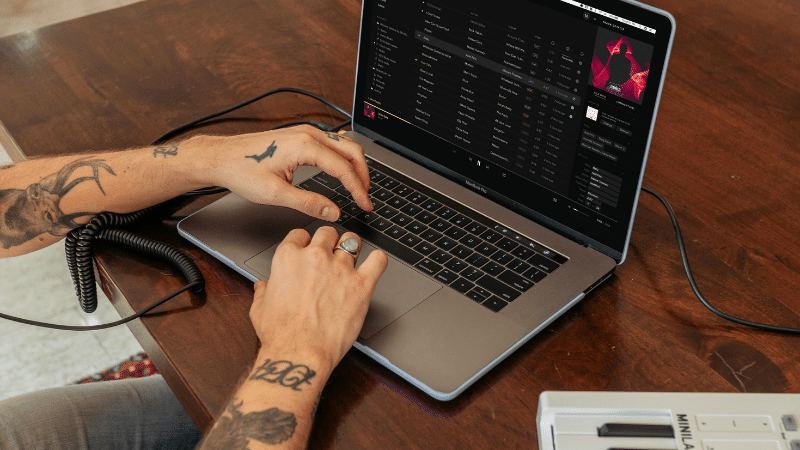
Have you claimed your artist or label page yet? What about updating those old photos from when you first started making music? 🧐
Your artist profile is one of the first places fans, editors, playlist curators, and platforms go to understand who you are. Claiming and maintaining your pages gives you more control over how you show up across streaming platforms, unlocks access to valuable insights about your streams and listeners, and helps make sure your music is properly attributed.
Whether you’re an artist, manager, or label rep, this guide breaks down how to claim and update your artist page across Spotify, Apple Music, Amazon Music, YouTube, TIDAL, Deezer, Beatport, SoundCloud, Audiomack, Pandora, and more.
Key Takeaways
- Claim your artist page early so you can control your image, bio, links, and profile details before fans start searching for you.
- Use consistent branding across every platform, including your artist photo, name styling, bio, and social links.
- Check your profiles before every release to make sure your music is appearing on the correct artist or label page.
- Use platform analytics to better understand where your listeners are coming from and what content is connecting.
Why Claiming Your Artist Page Matters
Claiming your artist page is not just about getting a verified-looking profile. It helps you protect your identity, make your music easier to find, and build a stronger connection with the people listening.
Once your profile is claimed, many platforms let you update your artist image, add or edit your bio, view analytics, promote releases, feature songs or playlists, and fix certain profile issues. That kind of control can make a big difference when you’re preparing for a new release, pitching your music, or trying to turn casual listeners into long-term fans.
And if you’re still getting your music onto major DSPs, Symphonic Starter can help independent artists distribute to 200+ service providers, access analytics, set up royalty splits, and keep more control as they grow.
Before You Start: What You’ll Usually Need
Every platform has its own process, but most artist profile claims ask for some version of the same information. Before you start, gather:
- Your artist name exactly as it appears on streaming platforms.
- A link to your artist profile or one of your releases.
- Access to your official artist email, website, or social accounts.
- Your distributor, label, or manager information, if applicable.
- A high-quality artist photo and short artist bio.
Having this ready can make the approval process smoother and help platforms confirm that you are connected to the artist or label page you’re trying to claim.
How to Claim Your Artist Page Across Major Music Platforms
Amazon Music for Artists
Amazon Music for Artists gives you access to streaming analytics, audience insights, and artist profile tools, including the ability to manage your artist image, bio, and more.
Here’s how to claim your Amazon Music artist profile:
- Visit Amazon Music for Artists on the web or download the mobile app.
- Sign in with your Amazon account or create one if needed.
- Search for your artist profile and select it.
- Choose your role, such as Artist, Manager, or Team Member.
- Provide the required verification details.
- Connect eligible distributor access or official social accounts when available to help speed up verification.
- Submit your request and wait for Amazon’s review.
Once your claim is approved, you’ll receive access to your artist dashboard where you can review performance data and keep your profile updated.
Beatport
Beatport Artist Page: If your music is available on Beatport, you can request updates to your artist page, including your artist photo and bio.
Beatport does not currently offer open self-service access to artist profiles in the same way some streaming platforms do. Instead, updates are submitted through Beatport support. Your artist image should be professional and meet Beatport’s current image requirements.
To update your Beatport artist profile:
- Make sure your music is already live on Beatport.
- Prepare a professional artist image and updated bio.
- Use Beatport’s official support process to request the update.
- Allow time for the profile update to be reviewed and processed.
You can review Beatport’s current artist profile update guidance here: How do I update my artist profile picture and biography on Beatport?
Beatport Label Page: Labels can also request updates to their label profile. Make sure you have a high-quality label image ready before submitting your request.
Spotify for Artists
If your music is on Spotify, claiming your Spotify for Artists profile should be one of your first moves. This gives you access to profile tools, analytics, audience data, release pitching, and more.
Here’s how to claim your Spotify artist profile:
- Go to Spotify for Artists.
- Log in or create an account.
- Click Get Access.
- Search for your artist profile using your artist name or Spotify artist link.
- Confirm your identity by connecting official social accounts or providing distributor, label, or team verification details.
- Submit your request and wait for Spotify’s review.
Once approved, you can update your profile photo, bio, social links, Artist Pick, merch, tour dates, and more. For a deeper walkthrough, check out Symphonic’s guide on how to optimize your Spotify for Artists profile.
⚡️ NOTE: If your album is incorrectly listed on another artist’s page, or you see an album credited to you that does not belong to you, check out this article.
Audiomack
Audiomack for Creators gives artists tools to manage their presence, connect with fans, and access creator features.
Here’s how to claim your Audiomack artist profile:
- Visit Audiomack for Creators.
- Log in or create an Audiomack account.
- Follow Audiomack’s current artist authentication or profile claim process.
- Provide the required verification details through the official creator flow.
- Once approved, update your artist photo, social links, and profile information.
If you actively use Audiomack, claiming and managing your profile can help you access creator tools, understand listener activity, and build stronger fan engagement on the platform.
Pandora AMP
Pandora AMP, which stands for Artist Marketing Platform, gives artists tools to promote their music and connect with listeners on Pandora.
Here’s how to claim your Pandora artist profile:
- Visit Pandora AMP.
- Sign up or log in with your Pandora account.
- Search for your artist profile.
- Provide the required verification details.
- Submit your claim request.
Once your profile is claimed, you can use Pandora AMP to access listener insights, create Artist Audio Messages, and support your music with platform-specific promotional tools.
Apple Music for Artists
To claim your profile on Apple Music, start by visiting Apple Music for Artists. You’ll need to sign in with an Apple ID or create one if you don’t already have one.
Here’s how to claim your Apple Music artist profile:
- Go to Apple Music for Artists.
- Select Request Artist Access.
- Search for your artist page using your artist name, album name, or iTunes Store artist page link.
- Select one of your albums to confirm you are claiming the correct page.
- Choose your role, such as Artist, Manager, or Label Rep.
- Complete the remaining application fields and submit your request.
If you’re having trouble finding your page, try this:
- Open Apple Music or the iTunes Store.
- Find your artist page or release.
- Click the More button.
- Choose Share, then Copy Link.
- Paste that link into the Find an Artist field during the application process.
Once approved, you can access performance data, update your artist image, and better understand how your music is performing across Apple Music.
TIDAL Artist Home
TIDAL Artist Home lets artists claim and manage their presence on TIDAL, including their artist image, bio, and analytics.
Here’s how to claim your TIDAL artist profile:
- Go to TIDAL Artist Home.
- Sign up or log in with your TIDAL account.
- Search for your artist profile.
- Submit a claim request with the required verification details.
- Once approved, update your artist profile information.
Claiming your TIDAL profile gives you more control over your presentation and helps you review how listeners are engaging with your music on the platform.
Deezer for Creators
To claim your profile on Deezer, visit Deezer for Creators and log in with your Deezer account.
Here’s how to claim your Deezer artist profile:
- Go to Deezer for Creators.
- Log in or create an account.
- Search for your artist profile.
- Submit verification details, such as official social links, distributor information, or team information.
- Wait for Deezer to review and approve your request.
After your profile is approved, you can update essentials like your artist image, bio, and social media links directly through the Deezer for Creators dashboard.
⚡️ NOTE: Use a high-resolution profile image so your artist page looks clean across devices.
YouTube Official Artist Channel
A YouTube Official Artist Channel, often called an OAC, brings your music content together under one verified artist channel. This makes it easier for fans to find your official videos, songs, albums, Shorts, and other music content in one place.
Here’s how to get started with a YouTube Official Artist Channel:
- Make sure you have a YouTube channel that represents you as an artist.
- Make sure your music is delivered to YouTube Music through a distributor or label.
- Confirm your channel and catalog meet YouTube’s current eligibility requirements.
- Request OAC setup through your distributor, label, or YouTube partner manager.
Once set up, your Official Artist Channel can help bring your content together, improve how fans discover you, and give you better access to YouTube artist tools.
Want to go deeper? Check out Symphonic’s guide on how to set up an Official Artist Channel on YouTube.
SoundCloud for Artists
SoundCloud for Artists gives musicians tools to manage their music, understand performance, connect with fans, and access artist-focused features.
Here’s how to manage your SoundCloud artist presence:
- Log in to your SoundCloud account.
- Visit SoundCloud for Artists.
- Review your account, tracks, profile details, and artist tools.
- Update your profile photo, bio, links, and track information as needed.
- Use your dashboard to monitor performance and fan activity.
Keeping your SoundCloud profile updated is especially helpful if you use the platform to build community, test new music, or engage directly with fans through comments, messages, and reposts.
What to Update After Your Artist Profile Is Claimed
Getting access is the first step. Once your artist page is claimed, take a few minutes to make sure everything looks current and consistent.
Update your artist photo
Use a clear, professional image that matches your current branding. Avoid blurry images, outdated promo shots, or photos with too much text.
Refresh your artist bio
Your bio should quickly tell listeners who you are, what you sound like, and what makes your story worth following. Need help tightening yours up? Check out Symphonic’s guide on how to write a great artist bio.
Add accurate social links
Make sure your Instagram, TikTok, YouTube, website, and other links are current. Broken or outdated links can make fans drop off before they connect with you.
Check your releases
Look through your discography and make sure all your music appears on the correct profile. If you see another artist’s release on your page, or your release appears on someone else’s profile, report it as soon as possible.
Review your analytics
Use your artist dashboards to understand where people are listening, which songs are gaining traction, and what markets may deserve more attention in your next campaign.
Quick Artist Profile Checklist Before Your Next Release
- Your artist name is spelled consistently across platforms.
- Your profile photo matches your current era or release campaign.
- Your bio is updated and easy to skim.
- Your latest release appears on the correct artist page.
- Your social links and website are working.
- Your Artist Pick, featured release, or pinned content is current where available.
- Your team has the right access level across platform dashboards.
- Your analytics are reviewed before planning your next promo push.
Common Artist Page Mistakes to Avoid
Even small profile issues can create confusion for fans and platforms. Here are a few common ones to watch for:
- Using different artist names across platforms: Keep your spelling, capitalization, and punctuation consistent wherever possible.
- Leaving old photos up too long: Your profile should reflect who you are now, especially during a new release cycle.
- Forgetting to update links: Broken social links, outdated websites, and inactive pages can cost you fan engagement.
- Ignoring split or mixed profiles: If your music appears on the wrong page, report it quickly so listeners do not get confused.
- Only checking profiles on release day: Review your artist pages before release week so you have time to fix issues.
Frequently Asked Questions
What does it mean to claim an artist page?
Claiming an artist page means verifying your connection to that artist profile so you can access tools to manage your presence, view analytics, update profile details, and support your releases.
Do I need to claim my artist page on every platform?
Yes, it’s a good idea to claim your artist page on every platform where your music is live. Each platform has its own dashboard, features, and analytics, so claiming one profile does not automatically claim the others.
Can a manager or label claim an artist profile?
In many cases, yes. Platforms often allow artists, managers, label reps, and approved team members to request access. The exact roles and permissions vary by platform.
What should I do if my music is on the wrong artist profile?
Report the issue through your distributor, label, or the platform’s artist support process. Include links to the incorrect profile, the correct profile, and the release that needs to be moved.
When should I update my artist profile?
Update your artist profile before every major release, tour, press push, or brand refresh. At minimum, review your profiles every few months to make sure your photos, bio, links, and featured content are current.
In Conclusion…
Keeping your artist and label profiles up to date might not be the most exciting part of releasing music, but it does make a difference. Accurate profiles help fans find you, platforms understand you, and your music show up where it should.
Taking a little time to claim and update your pages now can save you headaches later and set you up for smoother releases moving forward. And if you need help getting your music onto the right platforms in the first place, Symphonic Starter gives independent artists a simple way to distribute music, access analytics, manage royalties, and keep building with more control.
You got this!
🧠 Feed yo’ brain…
How To Optimize Your Spotify for Artists Profile
Why Having a Great Artist Bio is Important & How To Write One
How To Set Up An Official Artist Channel on YouTube
Music Analytics for Independent Artists: Turn Streaming Data Into Growth

Other Stories You May Like

Everything You Need To Know About Spotify’s Campaign Kit